

Previously, I wrote about how solopreneurs are being sold an AI lie. Everywhere I turn, someone is shouting about this hot new AI-infused tool or that must-have AI-powered app. They want me to believe if I’m not using them, I’m being left behind.
The whole thing is a Ponzi Scheme, except in this case, it’s not money we’re losing. It’s time. We’re told that if we just spend time implementing all the AI goodness, we’ll get it back ten-fold.
Turns out, rather than saving us time, keeping up with AI is helping us waste it.
I’m not the only one giving LLMs the side-eye, either. A UC Berkeley study found that generative AI use in the workplace didn’t make work more efficient. Instead, it created more work.
In our in-progress research, we discovered that AI tools didn’t reduce work, they consistently intensified it. In an eight-month study of how generative AI changed work habits at a U.S.-based technology company with about 200 employees, we found that employees worked at a faster pace, took on a broader scope of tasks, and extended work into more hours of the day, often without being asked to do so.
ActivTrak’s 2026 State of the Workplace report has this to say about AI use:
The data is unambiguous: AI does not reduce workloads. Among a subset of 10,584 users comparing 180 days before and after AI adoption (Data Set B), time spent across every measured work category increased between 27% and 346% — with email up 104%, chat and messaging up 145% and business management up 94%. No activity category decreased after adoption.
I tried to love it. Really, I did.
That’s what the data says, and I’m aware that I sound like a curmudgeon. So what about real-world impact for micro-businesses like ours? Here’s what happened when I tried to add those magical tools to my workflows.
The Rube Goldberg Machine
I created an automation to allow new subscribers to “time travel,” so they didn’t have to wait until the following day to receive the next email in a series. After all, they just opted in for something important to them at that moment. What’s the point of making them wait 24 hours to get the next piece of the puzzle?
This is possible in Kit, but it’s a bit convoluted. After chatting with Angela Wills, we agreed there was probably an easier way. So I fired up Gemini, explained what I wanted to do, and asked it for suggestions.
It called my current setup a “Rube Goldberg machine,” (it’s not wrong) and suggested a method that would be easier to set up and maintain.
The only problem was, the settings Gemini recommended don’t exist in Kit. When I called that out, it apologized, and offered a workaround. The workaround also does not exist.
After several hours and multiple failed attempts, I ended up back in my Rube Goldberg time machine. Turns out, Gemini doesn’t know how to build a better mousetrap.

The Business Health Dashboard
Another task I like to assign to AI—with mixed results—is spreadsheet formulas and light coding.
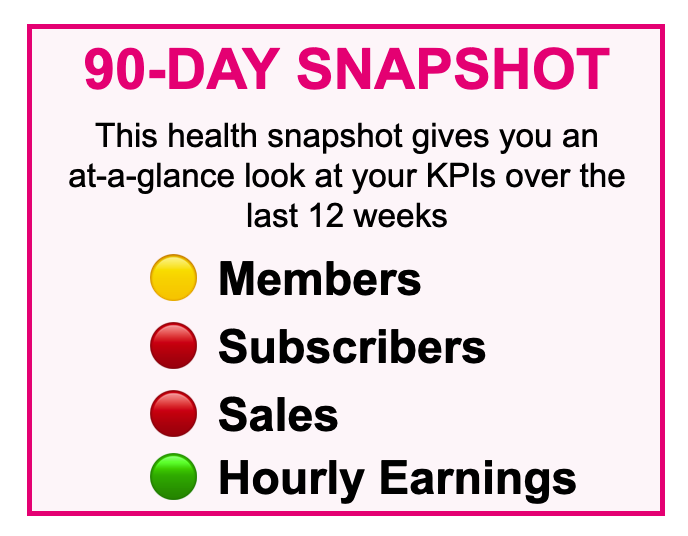
For example, I wanted to build a business dashboard with a stoplight feature to show which areas of the business are healthy, and which need attention. It would compare recent data entries to a baseline, decide if the trend was up or down and for how long, and then display the appropriate emoji.
ChatGPT was able to build this for me, but not without many hours of back-and-forth dialog, with me relaying error messages and Chatty trying again. It was always apologetic, and wrong at least 17 times before it finally got it right.
I’ll give the point to ChatGPT on this one, but it did leave me asking if all that time and effort was worth the result. I suspect that like the workers in the UC Berkeley study, my work had intensified for no good reason.
The Line Art Ask
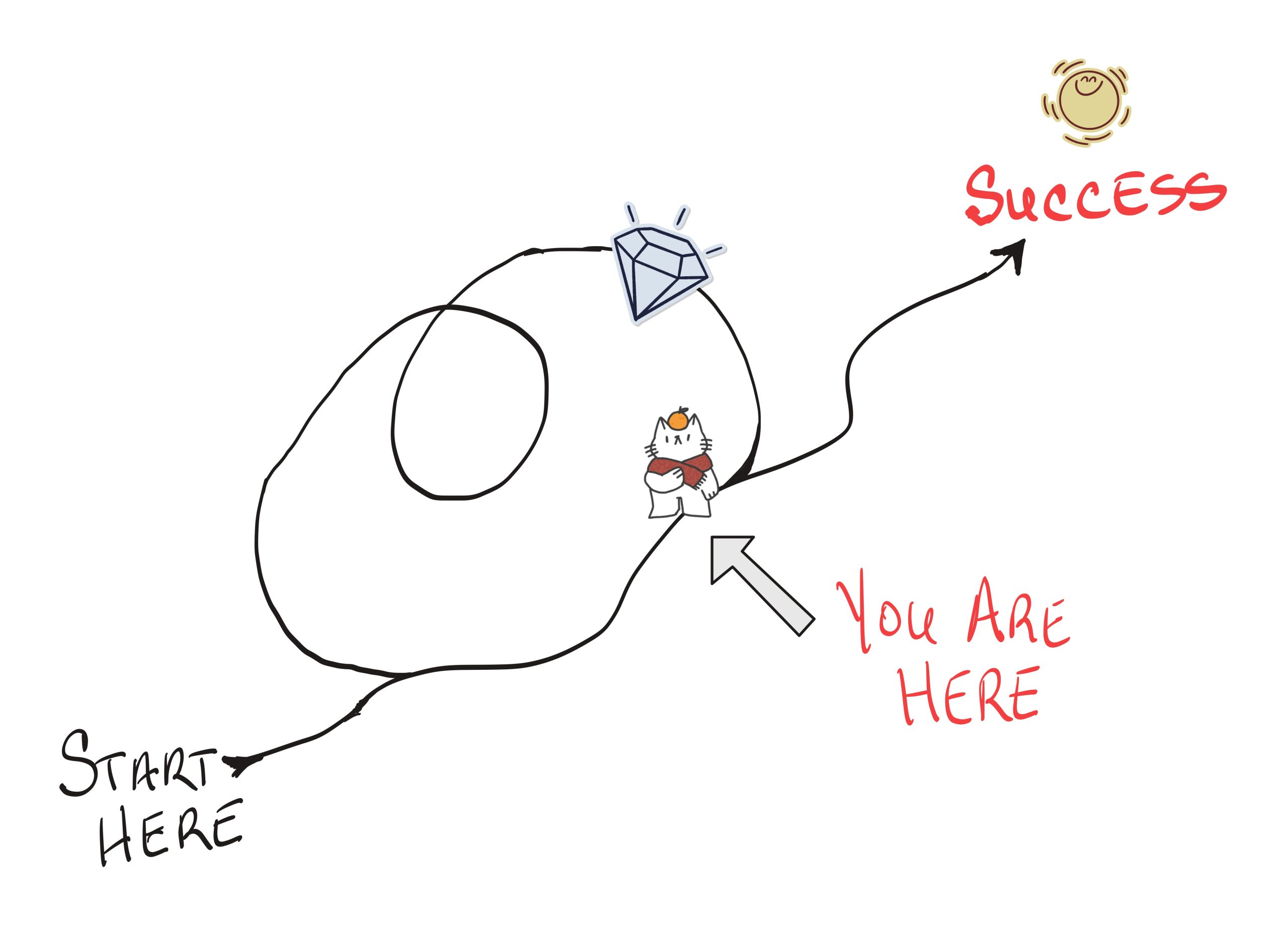
I wanted a simple line-art drawing of a person on a path. In front of her is a fork in the road. The right fork leads to her goal, the left fork leads to some glittery, shiny, distracting things before winding around and rejoining the main path somewhat behind where she is currently.
The point was clear (to me at least): A visual representation of what chasing shiny objects really costs.
I spent the better part of an afternoon going back and forth with Chatty before finally giving up and drawing it myself on my iPad.
The Failed Time Stamp Query
Maybe the most frustrating example was a meeting summary I asked Notion’s AI agent to produce.
I gave it the transcript in table format. In the left column was a timestamp, and in the right column, the section of transcript from that part of the call. I asked Notion to create a list with each timestamp and a single, concise sentence about what was covered during that time.
Notion could not parse that out. It repeatedly got the timestamps wrong. It added more, removed some, made up topics, and generally made a mess of the whole project. After six or so attempts to refine my prompt with more explicit instructions, I gave up and wrote the list myself.

There’s a pattern here. Step 1: Waste a bunch of time trying to get AI to do something that should be simple. Step 2: Give up and do it myself in 10 minutes or less.
You’re doing it wrong, Cindy
Maybe it’s an IO error (idiot operator, for those not in the know), and better prompting could solve the issue. It’s also possible I’m using the wrong tools, and learning one more of the 8,439 “now with AI” apps would give me better results.

But that’s my point. I don’t want to spend time learning to write better prompts or finding and learning yet another tool. I just want to get the work done.
These and other failed attempts cost me time I could have spent on more meaningful tasks, like engaging with my community, creating new products, coaching, or even just hanging out with friends.
Was it fun to play with ChatGPT’s illustration skills? Sure. But my job is not to prompt an AI to make line drawings. My job is to help coaches and course creators eliminate the overwhelm of running a solo business online.
Fine-tuning prompts and testing new AI tricks does not add value for my clients or customers.
How I’m actually using AI today
As with most things in life, AI is a mixed bag. I’m not saying I never use it, or that you should never use it. While most of it is arguably useless for solopreneurs like me, I have found a few time-saving applications.
- I use it to summarize meetings and pull out action items. The big benefit here is that I can stay fully attentive to my coaching clients or mastermind partners, while Notion takes notes. Just don’t ask it for time stamps.
- Gemini helps me find relevant research. I could spend days sifting through studies and other primary sources. Gemini handles that in an instant, and all I have to do is verify. In fact, it was Gemini that found the Harvard Business Review article linked at the top of this post.
- AI helps me draft difficult emails. If I need to release a client, respond to a chargeback, or blast off a takedown request to someone selling my courses as theirs, AI keeps the emotion out of it. In that situation, I care less about preserving my creativity and style, and more about just getting it done.
- AI makes it easy to conduct complex searches. I wanted to find a reasonable daily budget for my upcoming London trip based on my preferred travel style. I also didn’t want to wade through 187 forum posts and travel vlogs, so I asked Gemini.
Then there are all the ways we were using AI before it was branded as AI. Apps like Grammarly and Descript have always used AI engines to make our work easier, and I continue to use these and other tools.
The boundary I draw is around creativity and in-depth insights. If I outsource the most valuable parts of my work to an LLM, then why would you read or watch or buy anything from me?
My friend Debbie Gartner calls AI-generated work “the average of the average.” That’s not a goal to reach for. I don’t want “average” in the content I choose to consume, and I sure as hell don’t want to produce it.